
How to Choose the Right Laptop: A Complete Buying Guide
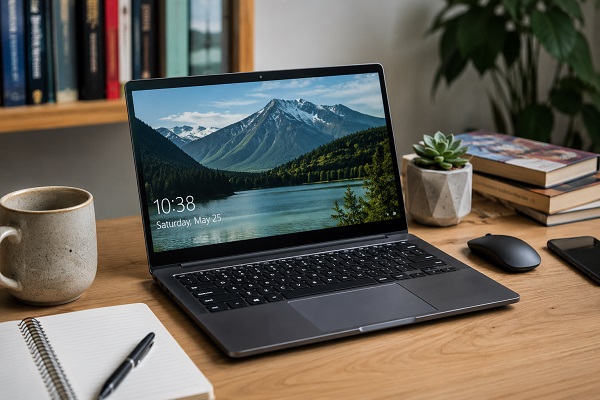
Buying a new laptop can be exciting, but with so many models and specifications available, choosing the right one can feel overwhelming. The best laptop isn't necessarily the most expensive—it's the one that fits your needs, budget, and daily tasks. Whether you're a student, professional, gamer, or content creator, understanding the key features will help you make a smart purchase.
Start by Identifying Your Needs
Before comparing specifications, think about how you plan to use your laptop.
* Students: Note-taking, online classes, web browsing, and assignments.
* Office Professionals: Documents, video meetings, spreadsheets, and multitasking.
* Content Creators: Photo editing, video editing, graphic design, and creative software.
* Gamers: High-performance graphics, fast processors, and smooth gameplay.
* Casual Users: Streaming, social media, shopping, and everyday browsing.
Knowing your primary use makes it much easier to narrow down your options.
Choose the Right Processor
The processor (CPU) is the brain of your laptop and determines overall performance.
* Intel Core i3 / AMD Ryzen 3: Suitable for basic tasks like browsing, emails, and office work.
* Intel Core i5 / AMD Ryzen 5: A great choice for most users, offering excellent performance for multitasking and productivity.
* Intel Core i7 / AMD Ryzen 7: Ideal for professionals, programmers, and light content creators.
* Intel Core Ultra / AMD Ryzen 9: Best for heavy video editing, 3D rendering, AI workloads, and demanding applications.
* Select Enough RAM
RAM affects how smoothly your laptop handles multiple applications.
* 8GB RAM: Good for everyday use.
* 16GB RAM: Recommended for multitasking, programming, and most professionals.
* 32GB or more: Best for video editing, graphic design, and advanced workloads.
More RAM generally provides better long-term performance.
SSD Storage Is Essential
Modern laptops should have SSD storage instead of traditional hard drives.
* 256GB SSD: Suitable for light users.
* 512GB SSD: Ideal for most people.
* 1TB SSD or higher: Recommended for gamers, photographers, and video editors.
SSDs provide faster boot times, quicker app launches, and better overall responsiveness.
Display Quality Matters
You'll spend hours looking at your screen, so display quality is important.
Consider:
* Full HD (1920×1080) resolution or higher.
* IPS panels for better colors and viewing angles.
* Anti-glare displays for comfortable outdoor use.
* Higher refresh rates (120Hz or above) for gaming and smoother visuals.
Screen size also matters:
* 13–14 inches: Portable and lightweight.
* 15.6 inches: Balanced for work and entertainment.
* 16–17 inches: Better for creators and gamers who prefer larger displays.
* Battery Life
If you travel frequently or work away from a power outlet, battery life becomes a major factor.
Look for laptops offering:
* 8–12 hours for regular productivity.
* Fast charging support.
* Efficient processors that consume less power.
* Graphics Performance
Not everyone needs a dedicated graphics card.
Integrated Graphics: Perfect for everyday work, streaming, and office tasks.
Dedicated GPU: Necessary for gaming, 3D design, CAD software, AI applications, and video editing.
Build Quality and Portability
A durable laptop lasts longer.
Consider:
* Lightweight aluminum or premium plastic construction.
* Comfortable keyboard.
* Large precision touchpad.
* Good hinge quality.
* Easy portability if you travel often.
* Connectivity Options
Ensure your laptop includes enough ports for your accessories.
Useful ports include:
* USB-C
* USB-A
* HDMI
* Headphone jack
* SD card reader (optional)
Also check for modern wireless connectivity like Wi-Fi 6, Wi-Fi 6E, or Wi-Fi 7 and Bluetooth 5.3 or newer for faster and more reliable connections.
Operating System
Choose the operating system that matches your workflow.
* Windows: Best for most users, gaming, business, and software compatibility.
* macOS: Popular among creative professionals and users invested in the Apple ecosystem.
* ChromeOS: Great for students and users who primarily work online.
* Don't Ignore After-Sales Support
A good warranty and reliable customer support can save time and money.
Before buying:
* Check the warranty period.
* Look for nearby service centers.
* Read customer reviews about after-sales service.
* Consider extended warranty options if you plan to keep the laptop for several years.
Final Thoughts
Choosing the right laptop is about balancing performance, portability, battery life, and budget. Instead of focusing only on impressive specifications, think about how you'll use the device every day. A laptop with the right processor, sufficient RAM, fast SSD storage, a quality display, and dependable battery life will deliver a smooth experience for years to come. By understanding your needs and comparing features carefully, you can confidently invest in a laptop that offers both value and long-term reliability.