
How Mechanical Keyboards Work
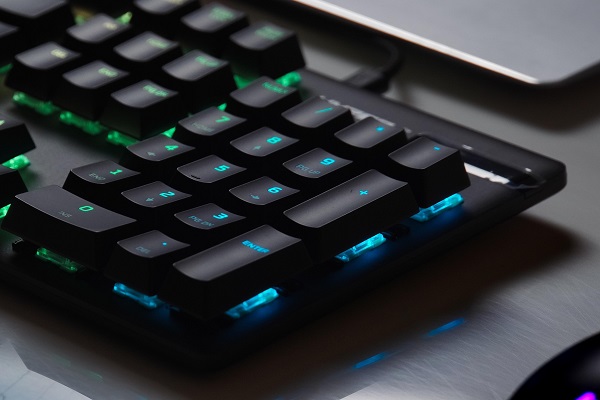
Mechanical keyboards use individual mechanical switches beneath each key to register keystrokes. Unlike traditional membrane keyboards, which use a flexible membrane to detect key presses, mechanical keyboards rely on physical switches that provide a more distinct typing experience.
They are popular among gamers, writers, programmers and people who spend long hours typing because of their responsiveness, durability and variety of switch options.
What Is a Mechanical Keyboard?
A mechanical keyboard is a keyboard in which each key typically has its own mechanical switch.
When you press a key, the switch moves downward and completes an electrical circuit. The keyboard's controller detects the signal and sends the corresponding keystroke to your computer.
The basic process is:
**Press key → Switch activates → Signal is detected → Computer receives the keystroke**
How Does a Mechanical Switch Work?
A typical mechanical switch contains several small components, including a housing, spring, stem and electrical contacts.
When you press a key:
1. The keycap moves downward.
2. The stem pushes the spring and internal mechanism.
3. The switch reaches its activation point.
4. Electrical contacts connect or change state.
5. The keyboard's controller registers the keystroke.
6. The key returns to its original position when released.
This physical mechanism is what gives mechanical keyboards their distinctive feel.
What Are Mechanical Switch Types?
Mechanical switches are commonly divided into three broad categories: **linear, tactile and clicky**.
Linear Switches
Linear switches provide a relatively smooth keypress from top to bottom without a noticeable tactile bump.
They are often preferred by gamers because the consistent movement can feel fast and predictable.
Tactile Switches
Tactile switches provide a noticeable bump during the keypress.
This feedback lets you know that the key has reached its activation point, which can be useful for typing.
Clicky Switches
Clicky switches provide tactile feedback along with a distinct clicking sound.
They can be enjoyable for people who like audible feedback, although the sound may not be suitable for shared offices or quiet environments.
What Are Keycaps?
Keycaps are the removable pieces that you actually press with your fingers.
They sit on top of the mechanical switches and are available in different shapes, materials and designs.
Common keycap materials include ABS and PBT. PBT keycaps are generally known for their resistance to developing a shiny appearance from prolonged use.
What Is the Keyboard Controller?
The keyboard controller is the electronic component responsible for detecting which keys are being pressed.
It scans the keyboard's electrical matrix and converts the detected key presses into signals that the computer understands.
This happens extremely quickly, allowing the computer to respond almost immediately to a key press.
What Is Keyboard Switch Actuation?
Actuation refers to the point at which a switch registers a key press.
Different switches can have different actuation characteristics, including how far the key needs to travel before the keystroke is registered.
For gamers and fast typists, actuation behaviour can influence how a keyboard feels and responds.
What Is Key Rollover?
Key rollover refers to how many keys a keyboard can correctly detect when multiple keys are pressed at the same time.
A feature such as **N-key rollover (NKRO)** allows a keyboard to register multiple simultaneous key presses without incorrectly ignoring them.
This can be particularly useful for gaming and certain typing situations.
What Is Anti-Ghosting?
Ghosting occurs when a keyboard incorrectly registers an additional key when several keys are pressed together.
Modern mechanical keyboards often include anti-ghosting features designed to reduce or prevent these incorrect inputs.
Mechanical vs Membrane Keyboards
Mechanical and membrane keyboards use different mechanisms.
**Mechanical keyboards:**
* Use individual mechanical switches
* Usually provide more distinct tactile feedback
* Offer many switch choices
* Can be highly durable
* Are often more expensive
**Membrane keyboards:**
* Use a membrane layer to register key presses
* Tend to be quieter
* Are generally more affordable
* Often have a softer or less distinct key feel
Neither type is universally suitable for everyone. The choice depends on typing preferences, budget and intended use.
Why Do Mechanical Keyboards Cost More?
Mechanical keyboards can cost more because they contain individual switches for their keys and may include higher-quality components, customisable keycaps, metal or reinforced frames, programmable controls and additional electronics.
However, prices vary significantly, and an expensive keyboard is not automatically better for every user.
Are Mechanical Keyboards Good for Gaming?
Mechanical keyboards are popular for gaming because they can offer consistent keypresses, tactile feedback and reliable simultaneous key detection.
Features such as N-key rollover, low-latency controllers and different switch characteristics can also matter to gamers.
However, the actual gaming experience depends on the entire keyboard design rather than the switch type alone.
How Long Do Mechanical Keyboards Last?
Mechanical keyboards can last for many years when properly maintained. Individual switches are designed to withstand a large number of keystrokes, although durability varies between switch models and manufacturers.
Other components, such as stabilisers, keycaps, cables and electronic components, can wear out independently.
How to Maintain a Mechanical Keyboard
Regular maintenance can help keep a mechanical keyboard functioning properly.
* Remove dust and debris regularly.
* Clean keycaps carefully.
* Avoid spilling liquids on the keyboard.
* Use appropriate cleaning tools.
* Keep the keyboard away from excessive moisture.
* Replace worn keycaps or switches when supported.
Some mechanical keyboards are also designed to make individual switches easier to replace or customise.
Final Thoughts
Mechanical keyboards work by using individual physical switches to detect each key press. Their combination of mechanical switches, keycaps and electronic controllers creates a typing experience that can be customised according to personal preference.
Whether you prefer a smooth linear switch, a tactile switch or an audible clicky switch, understanding how mechanical keyboards work can help you choose a keyboard that matches your typing, gaming and everyday computing needs.